EMG Biofeedback in Therapy
How physiotherapists and rehab facilities integrate EMG biofeedback into their daily practice.

How Is EMG Biofeedback Used in Therapy?
EMG biofeedback makes muscle activity visible — in real time, right at the treatment station. Therapists use it to give clients visual feedback about their muscle function. This supports:
- Improving muscle activation — Clients learn to activate muscles more precisely
- Visualizing relaxation — Elevated muscle tone becomes tangible through real-time data
- Training symmetry — Left/right differences become immediately visible
- Documenting progress — Measurement data shows changes between sessions
Typical Applications
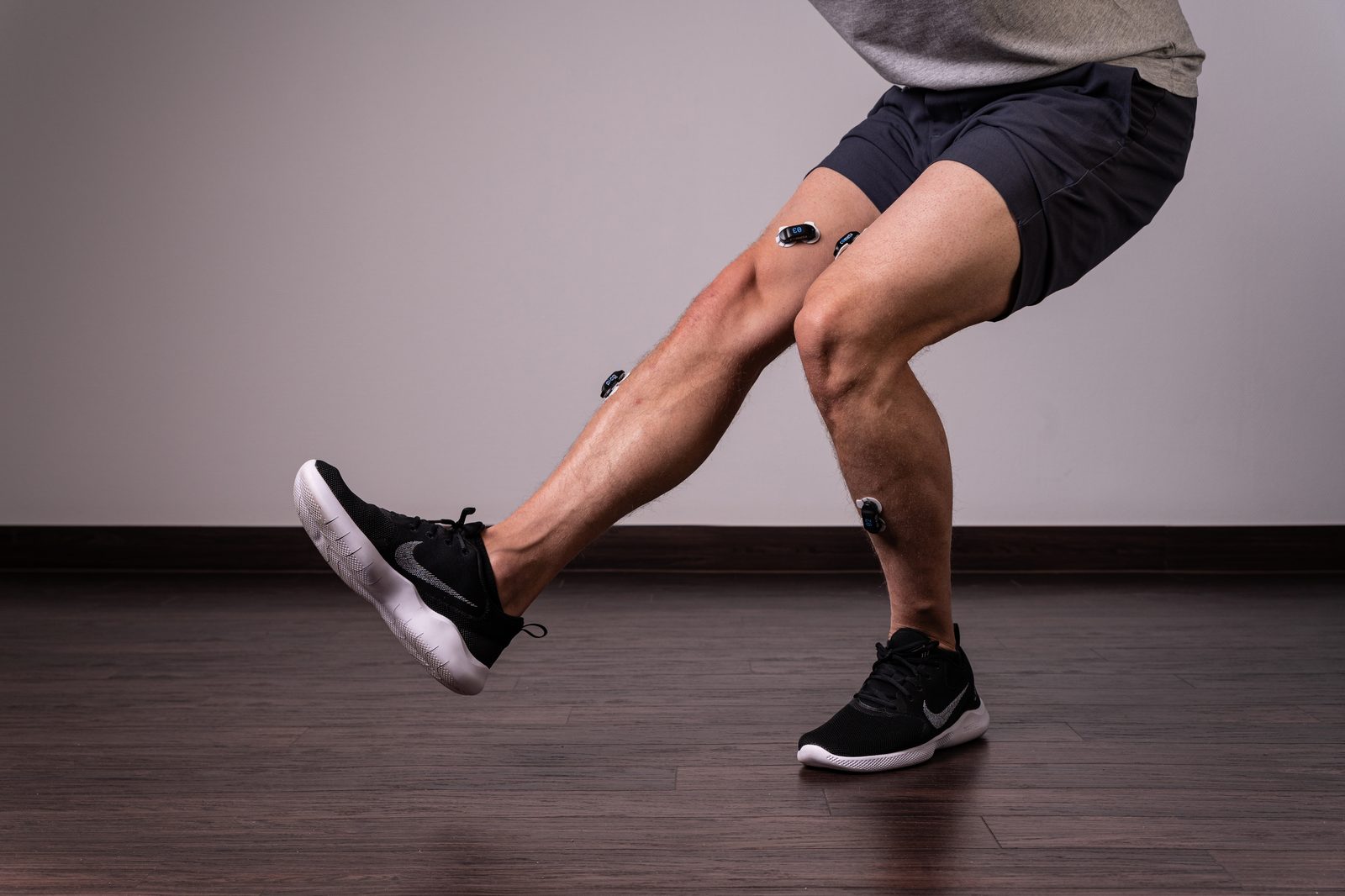
Orthopedics & Rehab
After injuries or operations, EMG biofeedback supports clients in precisely activating muscles again. Visual feedback helps to consciously perceive and improve movement patterns.
Relaxation Training for Elevated Muscle Tone
When muscle tone stays elevated over time, EMG biofeedback makes it visible. Clients learn to consciously perceive elevated muscle tension and actively reduce it.
Sports & Training
In sports contexts, EMG biofeedback supports performance analysis: muscle balance, activation patterns, and symmetry are visualized in real time.
Neurology
For neurological cases, EMG biofeedback can support clients in improving activation of weakened muscles — through visual feedback and repeated training.
Workflow of a Biofeedback Session
| Step | What happens | Duration |
|---|---|---|
| 1. Preparation | Select muscle, place electrodes using 3D guidance | 2–5 min |
| 2. Initial measurement | Capture muscle activity, measure resting tone and MVC | 3–5 min |
| 3. Training | Choose biofeedback mode (HOLD, RELAX, RAMP UP, RHYTHM, SYMMETRY) | 10–20 min |
| 4. Documentation | Report preview: print or share as PDF, compare progress | 2 min |
Total duration: 15–30 minutes depending on session goals.
History and Playback: Find Every Session Again
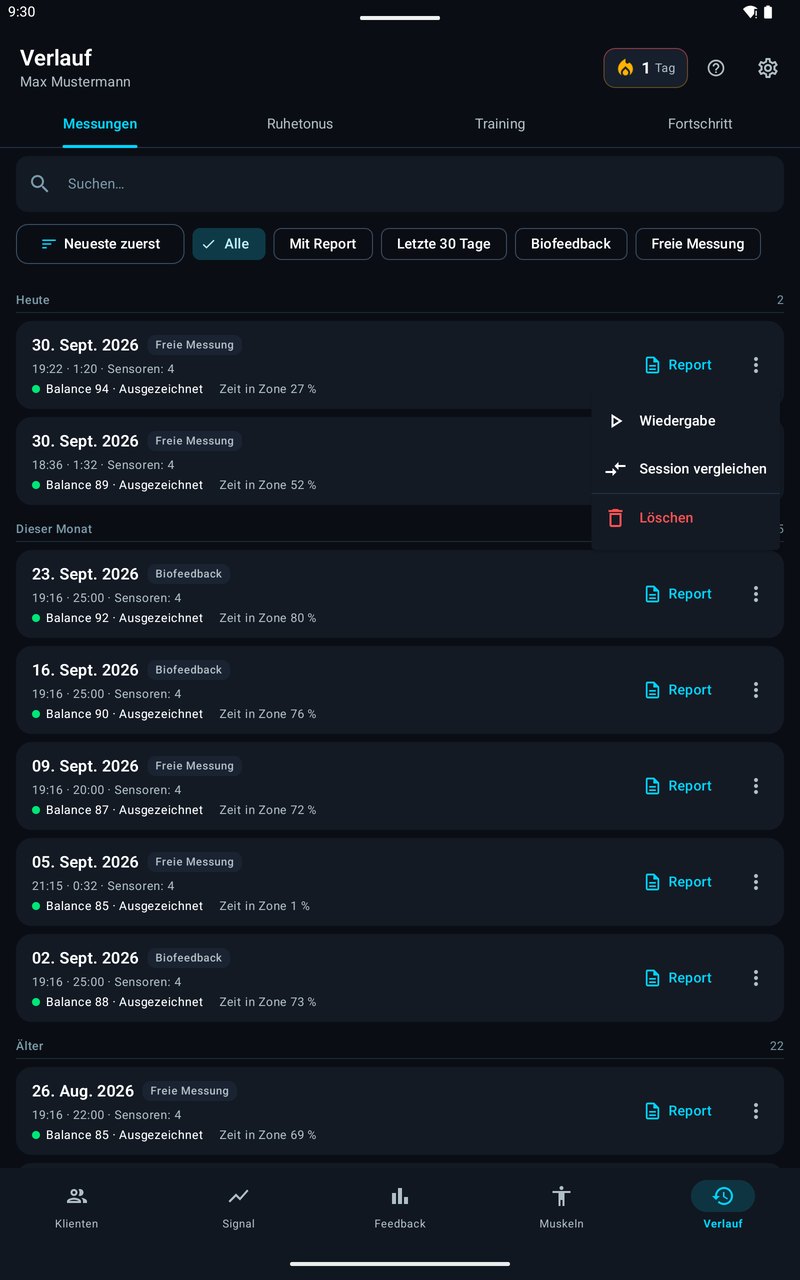
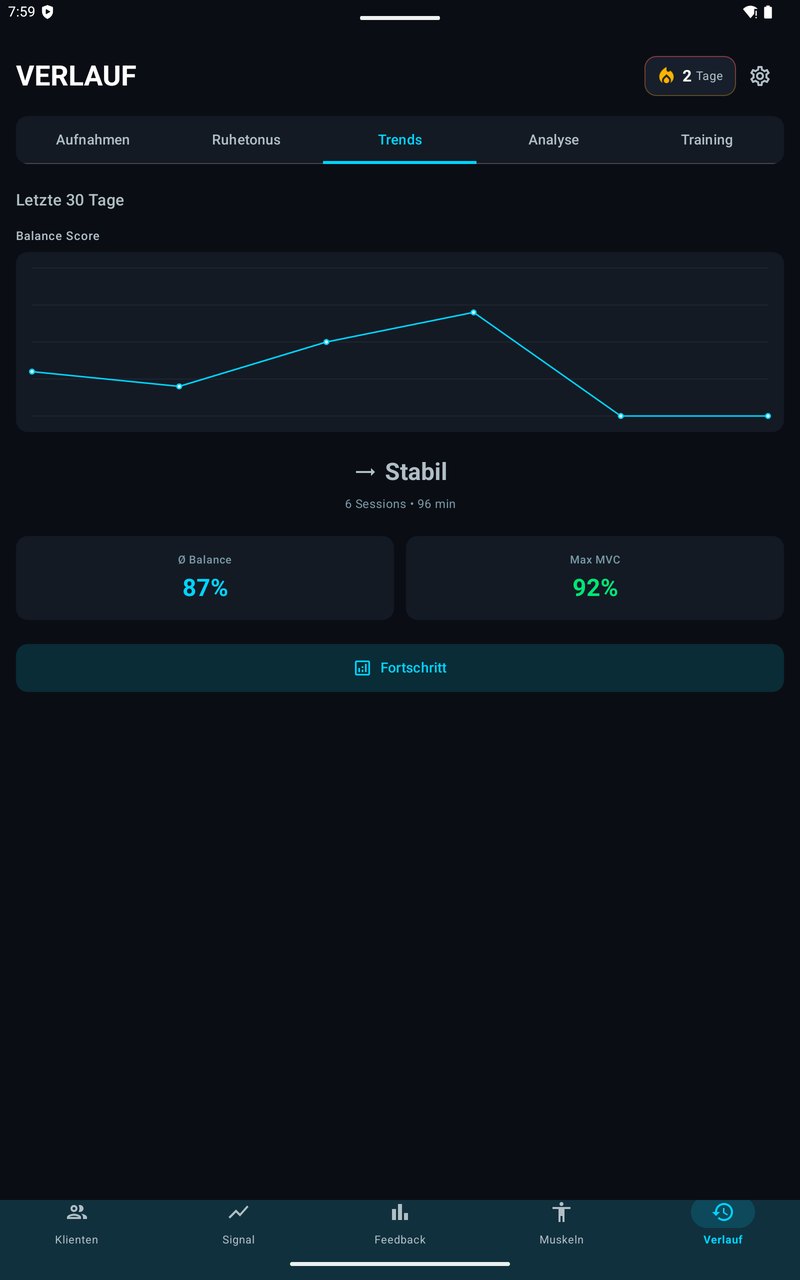
Each client’s history is organized into the tabs Measurements · Resting tone · Training · Progress, with search, filters (such as “With report”, “Last 30 days”, “Biofeedback”) and sorting. Even long client histories stay easy to navigate.
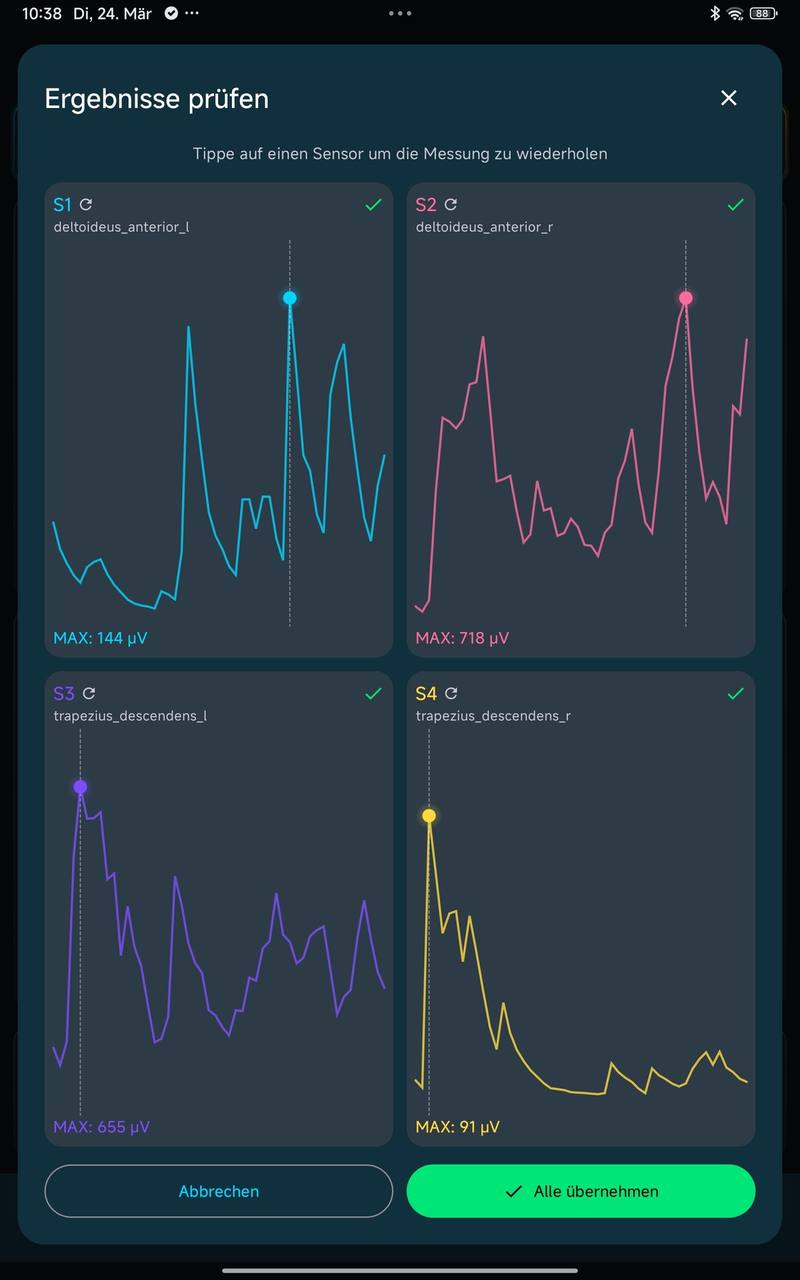
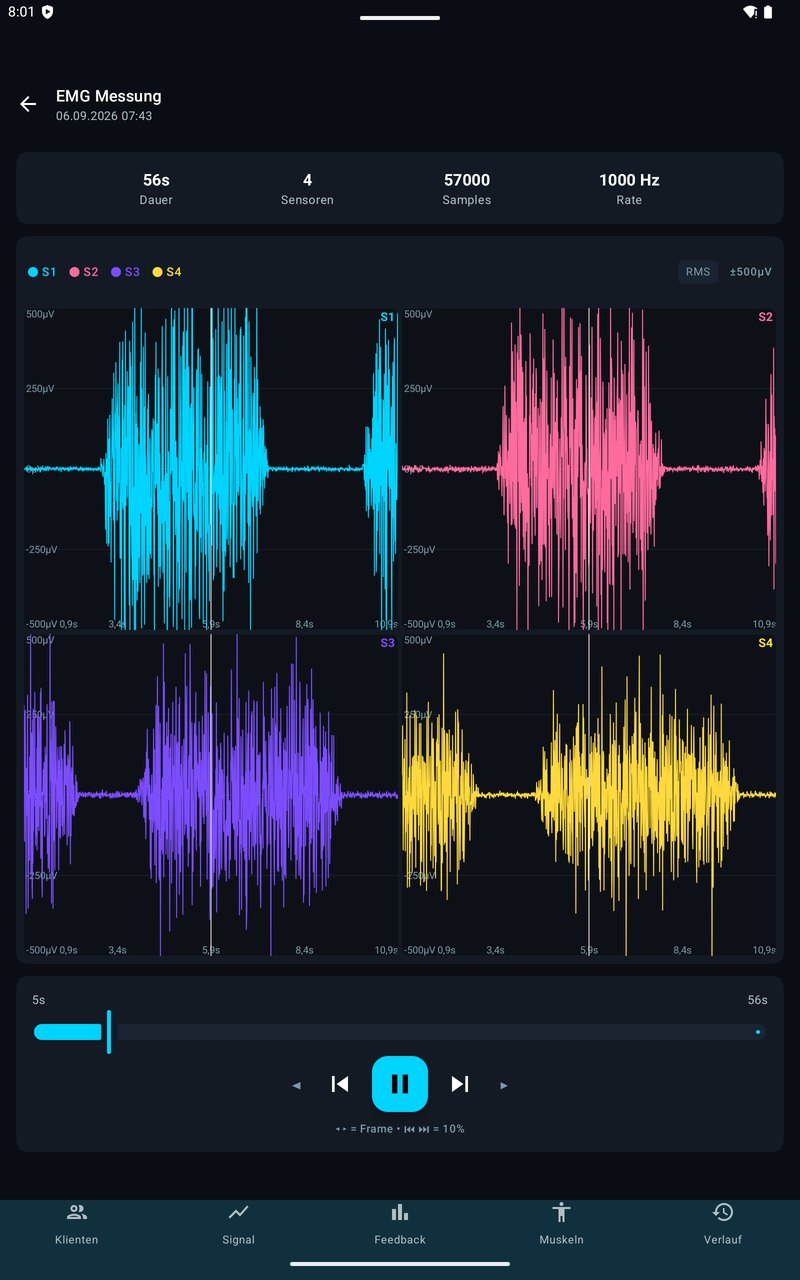
Every recording can be played back — with the same charts as live (curve, RMS, bars, MVC scale). Swipe through the chart to jump to the moment you need and discuss the measurement with your client without measuring again. The app shows resting tone per muscle with left and right side by side, plus a table per appointment.
Why Therapists Use EMG Biofeedback
- Clients understand what they’re doing — visual feedback instead of abstract instructions
- Motivation increases — Biofeedback games, training history, per-client leaderboards and streaks improve compliance
- Progress becomes measurable — Comparison data between sessions
- Ready to use immediately — No mandatory training, in-app guidance walks you through placement
easyEMG: Biofeedback Software for Therapy Practices
| Feature | easyEMG |
|---|---|
| Training modes | 5 (HOLD, RELAX, RAMP UP, RHYTHM, SYMMETRY) |
| Channels | Up to 4 simultaneously |
| Visualization | 3D avatar with real-time heatmap |
| Documentation | PDF reports with practice branding + raw data export as CSV |
| Platform | Android tablet, wireless (Bluetooth) |
| Cost | €2,500 one-time — no subscription |
| Training | Not required — SENIAM-compliant in-app guidance |
FAQ
Is EMG biofeedback a recognized therapy method?
EMG biofeedback is used in many therapeutic contexts. easyEMG itself is a biofeedback and analysis software, not a medical device under EU-MDR. The PicoBlue hardware by Cometa is a CE-certified medical device (Class I).
Do insurance companies cover the costs?
EMG biofeedback is generally not included in statutory health insurance coverage. Private health insurance may partially reimburse costs. Check with your insurance provider.
How often should biofeedback training take place?
Typically 1–2 sessions per week over several weeks. You determine duration and frequency individually as a therapist.
What do I need to get started?
easyEMG software (€2,500 one-time) + PicoBlue BLE sensors by Cometa. Optionally as a bundle with 50% app discount. Details: Pricing
All training modes in detail: EMG Biofeedback Training
For physiotherapists: EMG Biofeedback for Physiotherapists
easyEMG is not a medical device under the MDR and is not intended for diagnosis or treatment of diseases. This application does not replace professional medical advice, diagnosis or therapy. The PicoBlue hardware is a CE-certified medical device.
EMG biofeedback in your practice? Book a demo.
20-minute live demo — we'll show you easyEMG with a real use case.
The confirmation with a Teams link arrives automatically — takes less than a minute.
Booking opens Microsoft Bookings in a new tab. Details on data processing can be found in our privacy policy.
Prefer writing? Send us a message — we reply within 24 hours.