EMG Muscle Analysis with 4 Channels
Measure four muscles at once, compare both sides, document progress — from sensor to report in one app.
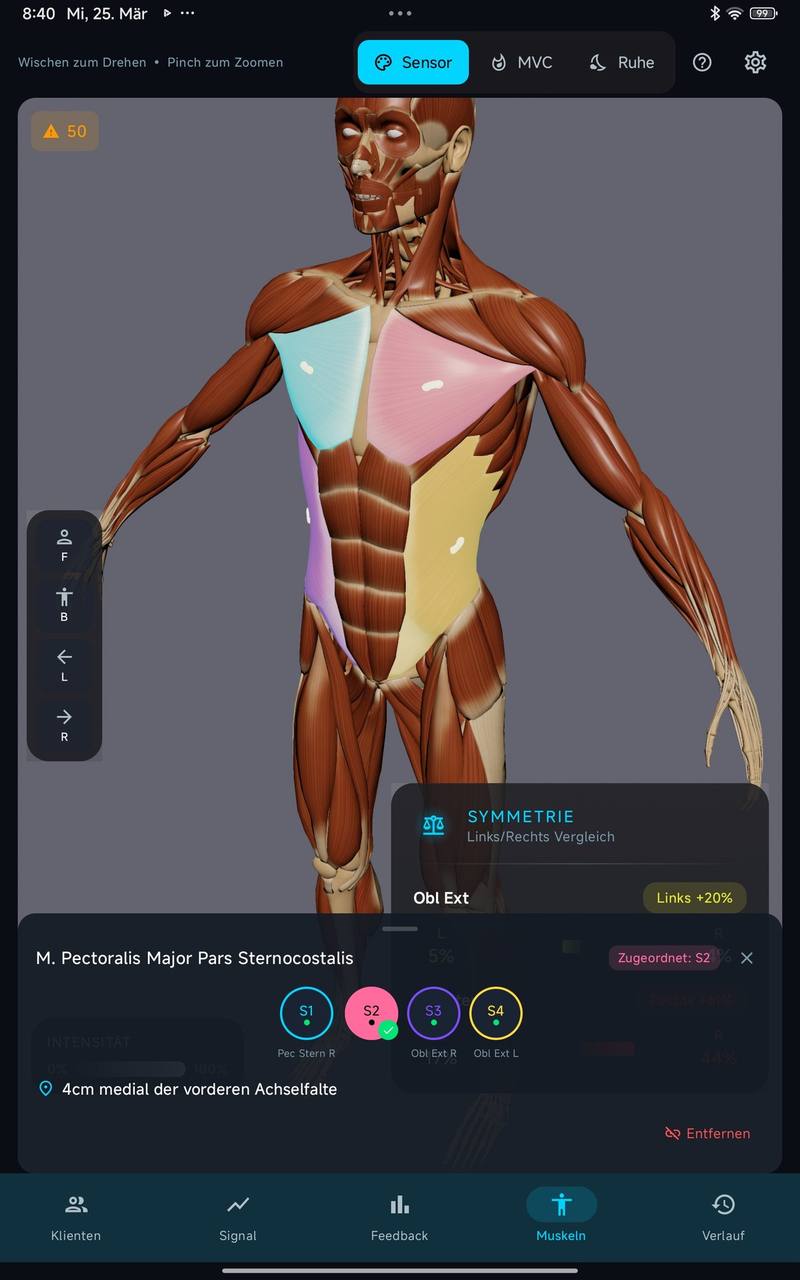
With easyEMG you measure up to four muscles at once and compare the values across sessions. The workflow: select the client, assign sensors to muscles on the 3D avatar (with SENIAM-compliant placement guidance), measure resting tone and MVC, record — then play the measurement back, output it as a PDF report or compare it with an earlier measurement. What people often search for as “EMG mapping” is exactly this free 4-channel measurement in easyEMG, not a separate mapping mode.
What Is an EMG Muscle Analysis?
In an EMG muscle analysis you record the electrical activity of several muscles at the same time using surface electrodes. Goal: comparable measurement data across multiple sessions — with little effort in everyday practice.
What people often search for as “EMG mapping” is a free measurement with up to 4 channels in easyEMG: you choose the muscles that matter for your question and measure them in one run. There is no separate mapping mode with fixed protocols — you decide what gets measured.
- Baseline: Initial measurement of muscle activity, resting tone and side-to-side ratio
- Progress tracking: Make changes between sessions visible
- Reporting: PDF report for your documentation and to share
How a Measurement Works with easyEMG
| Step | What happens |
|---|---|
| 1. Select client | Measurements, MVC values and history are stored per client |
| 2. Assign sensors | Select the muscle on the 3D avatar, apply electrodes following SENIAM-compliant placement guidance |
| 3. Resting tone and MVC | Measure resting tone per muscle, guided MVC calibration — values stored per client |
| 4. Recording | Up to 4 channels at once, 1000 Hz, live as a curve and on the 3D avatar |
| 5. Review | Play back the measurement, PDF report, CSV raw data, comparison with an earlier measurement |
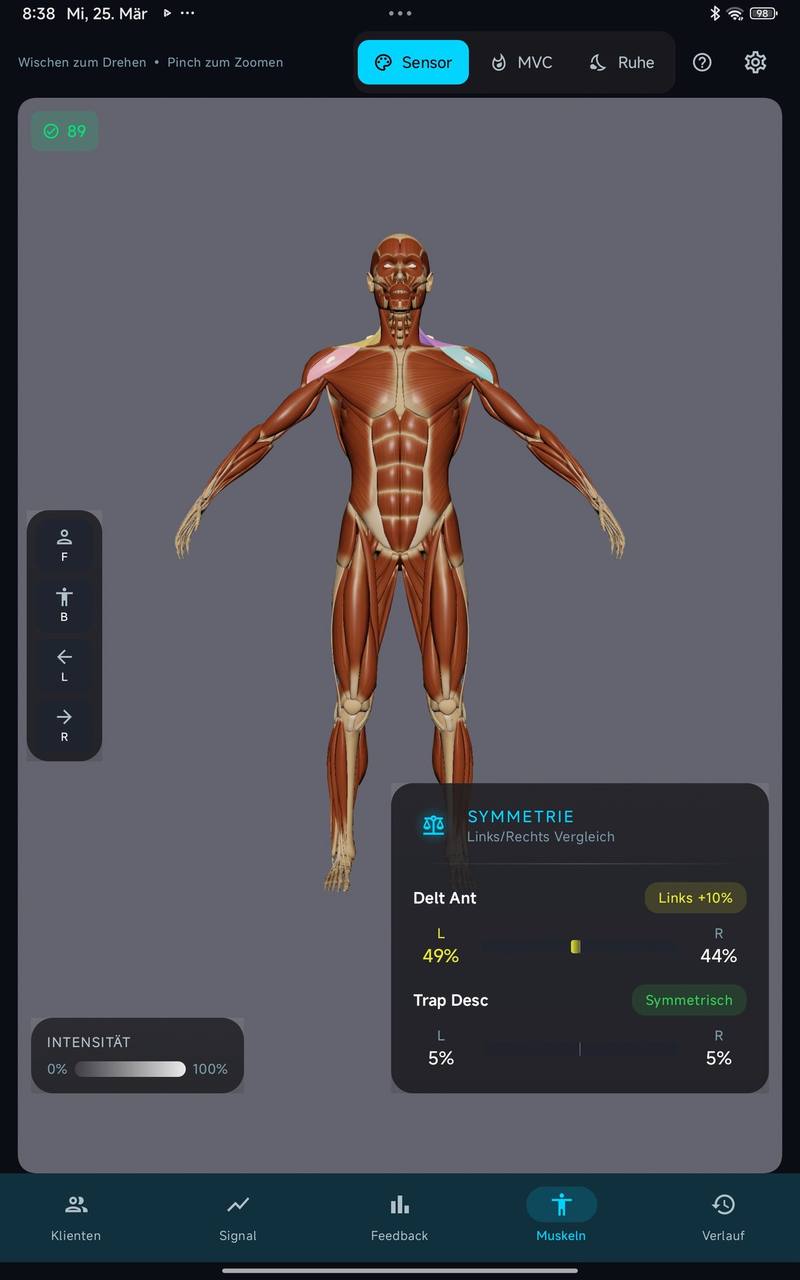
Muscle Atlas with SENIAM-Compliant Placement Guidance
easyEMG includes a comprehensive muscle atlas with SENIAM-compliant electrode placement guidance. The 3D avatar shows where to position the electrodes — no looking things up, no guesswork. That way you measure at the same spot in every session.
4 Channels at Once
With the PicoBlue 4-channel system, you capture 4 muscles in parallel — for example one muscle on the left and right plus a second muscle on the left and right. No re-plugging, no repeating.
Resting Tone and MVC
- Resting tone per muscle, left and right side by side, with a traffic-light scale and the trend versus the previous measurement
- Guided MVC calibration — values stored per client, measurements comparable as % MVC
- 3D avatar with real-time heatmap and baseline overlay, real-time waveforms per channel
Playback, Report and Comparison
- Playback — review any measurement later with the same charts as live, for example to go through it with the client
- PDF report with practice branding and normative comparison — print it or share it as a PDF
- Raw data export as CSV — all channels in µV, 1000 Hz, Excel-compatible; internally, easyEMG records in the standard EDF+ format
- Session comparison — current measurement against an earlier measurement of the same client
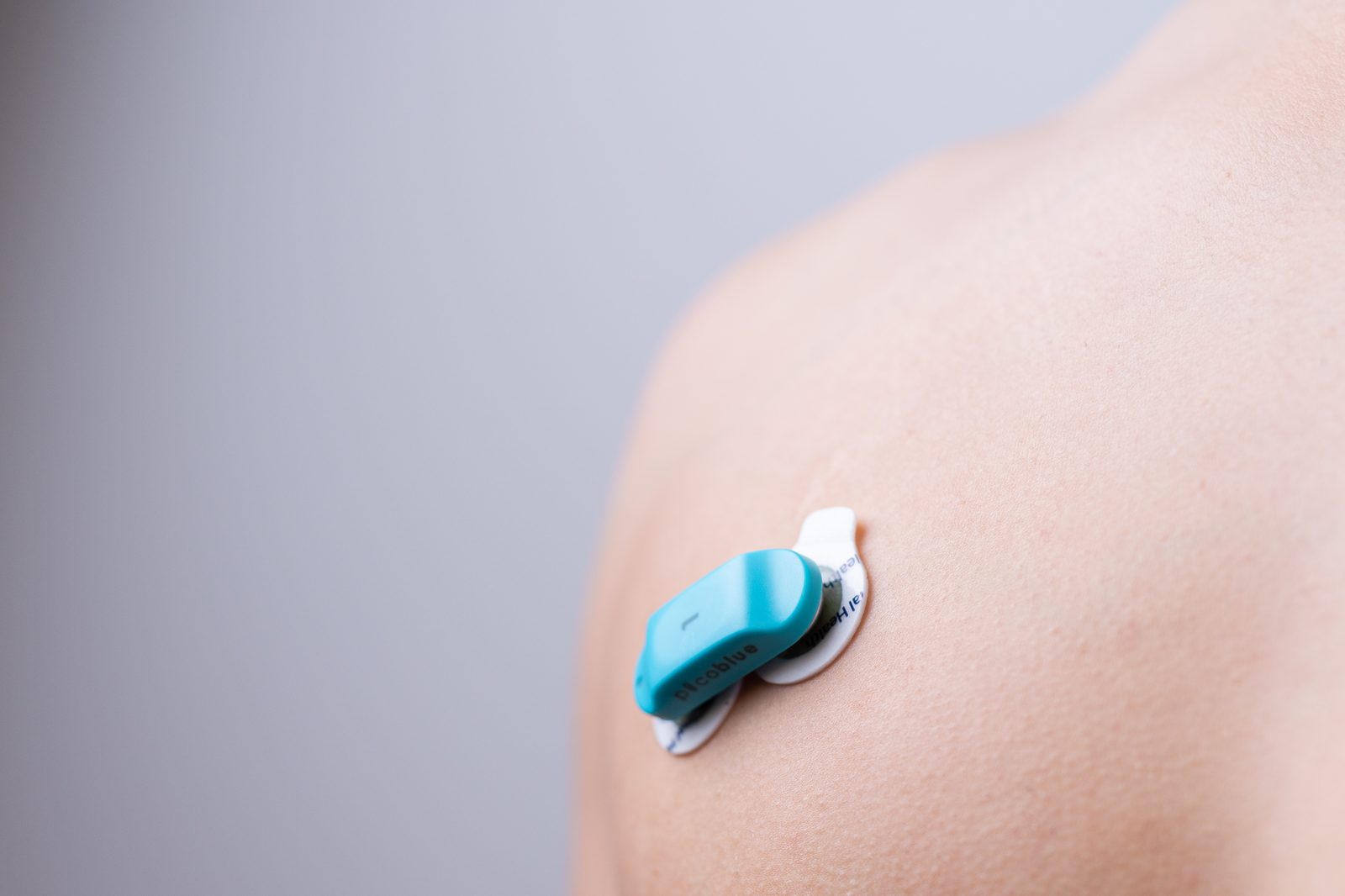
One sensor per muscle, four muscles per measurement
The sensors click onto disposable electrodes and sit on the body without cables. Four channels are enough for a shoulder measurement: both deltoid parts and both trapezius parts in one run.
Typical Measurements
| Region | What is captured | Typical use |
|---|---|---|
| Back (lumbar/thoracic) | Resting tone, symmetry, activation patterns | Posture analysis, training planning |
| Shoulder | Deltoid, trapezius balance | Rehab support, functional analysis |
| Knee | Vastus medialis/lateralis balance | Rehab support, training optimization |
| Side-to-side comparison | One or two muscle pairs left/right | Training planning, documenting progress |
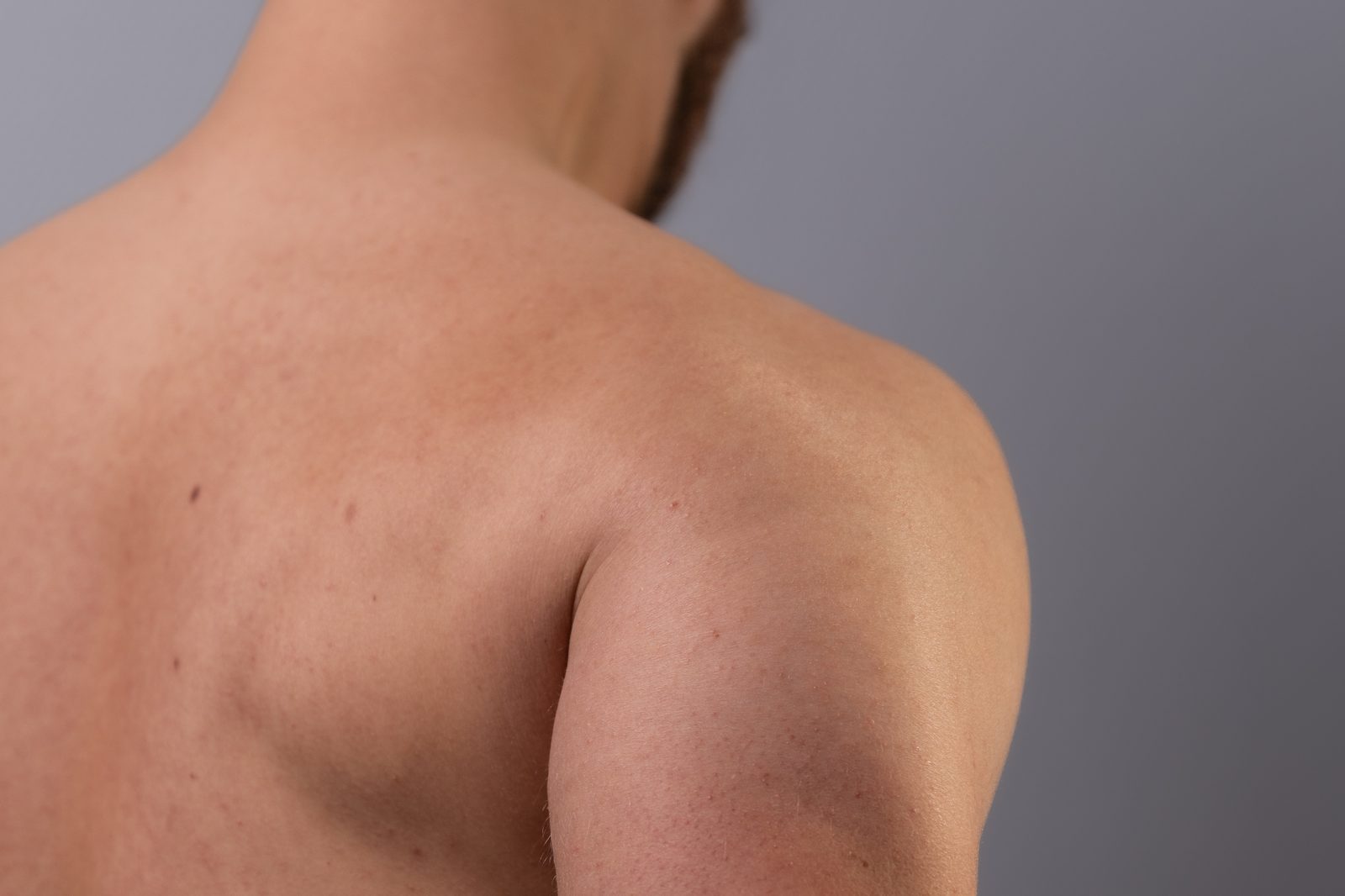
Make trapezius balance visible
Whether the shoulder-blade stabilizers work equally on both sides is hard to judge from the outside. The measurement shows activation as a number and on the avatar, so asymmetries can be considered in planning.
Why Muscle Analysis with easyEMG?
| Aspect | easyEMG | Typical alternatives |
|---|---|---|
| Channels | 4 simultaneous | Often 1–2, surcharge for more |
| Placement guidance | SENIAM-compliant, 3D avatar | Varies |
| Training required | No — guidance in the app | Often mandatory |
| Cost | €2,500 one-time | Subscription or premium |
| Devices | Unlimited (site license) | Often 1 per license |
| Biofeedback | 5 modes immediately after | Often separate system |
From Measurement to Biofeedback Training
The advantage of easyEMG: measurement and training in one system. After the initial measurement, start biofeedback training directly — HOLD, RELAX, RAMP UP, RHYTHM, or SYMMETRY. No system switch, no data loss. How practices use this workflow is shown in the overview of EMG biofeedback in therapy.
Frequently Asked Questions about EMG Muscle Analysis
Do I need training for the EMG muscle analysis?
No. easyEMG guides you with SENIAM-compliant 3D placement guidance through every measurement. Basic EMG knowledge is helpful but not required.
How many muscles can I measure at once?
With the 4-channel system you capture up to 4 muscles at once, with the 2-channel system 2. You choose which muscles to measure from a comprehensive muscle atlas with SENIAM-compliant placement guidance.
Does easyEMG have a dedicated EMG mapping mode?
No. easyEMG measures freely with up to 4 channels, without a fixed protocol sequence. If you want to cover several regions, you measure them one after another — every measurement is stored with the client and remains comparable.
Can I export the results?
Yes. You print the PDF report with your practice branding or share it as a PDF. You export the raw data of every measurement as CSV (all channels in µV, 1000 Hz, Excel-compatible).
Can I compare measurements with earlier ones?
Yes. The session comparison puts a measurement side by side with an earlier measurement of the same client, and the resting tone view shows the trend versus the previous measurement for each muscle.
Is the EMG muscle analysis a diagnostic procedure?
The EMG muscle analysis with easyEMG serves to visualize and document muscle activity. It supports therapists in analysis — it is not a diagnostic procedure in the medical sense.
All prices and bundles: Pricing
For physiotherapists: EMG Biofeedback for Physiotherapists
Understand the basics: What is EMG biofeedback?
easyEMG is not a medical device under the MDR and is not intended for diagnosis or treatment of diseases. This application does not replace professional medical advice, diagnosis or therapy. The PicoBlue hardware is a CE-certified medical device.
Try the muscle analysis yourself? Book a demo.
20-minute live demo — we'll show you a 4-channel measurement with a real use case.
The confirmation with a Teams link arrives automatically — takes less than a minute.
Booking opens Microsoft Bookings in a new tab. Details on data processing can be found in our privacy policy.
Prefer writing? Send us a message — we reply within 24 hours.